Software Automation: What It Is and How to Start

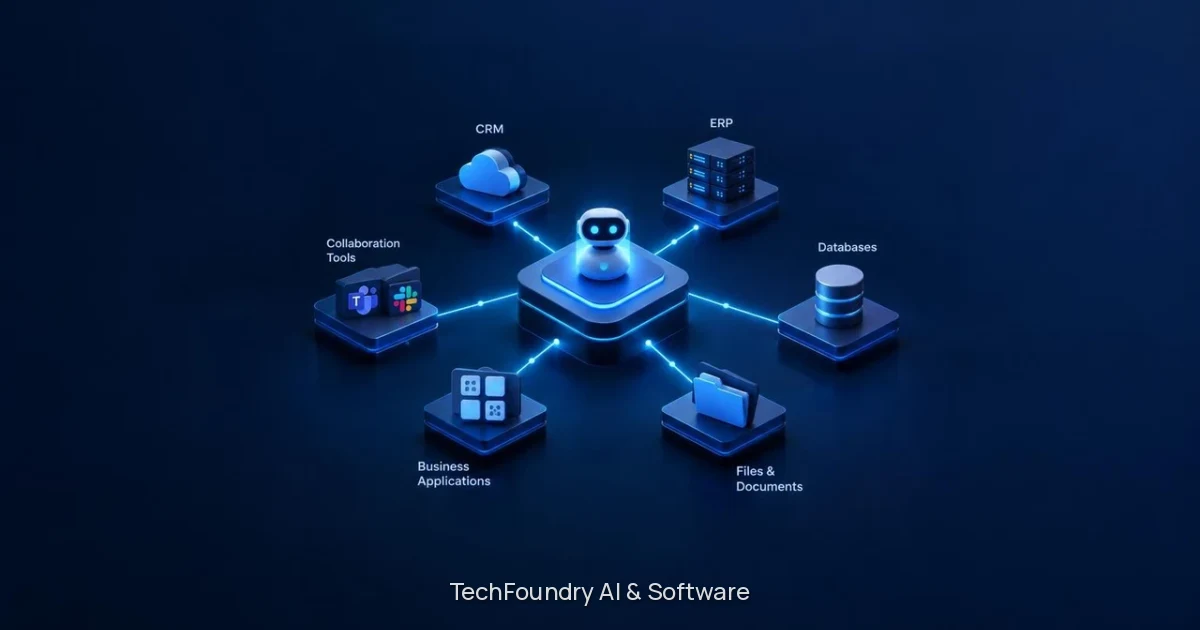
Software automation is the use of software to run repeatable business tasks, such as moving data between systems, reading documents and routing approvals, without someone doing each step by hand. The best candidates are processes that already work end to end but only because people keep pushing them along, where the rules can be written down, and the handoffs cross tools or teams. TechFoundry Digital Studio builds custom applications and AI workflows that turn emails, documents and business data into useful actions, and keeps your team in control of the important decisions.
What does software automation mean?
Software automation covers any work that software carries out so a person doesn’t have to repeat it. It runs from a single scheduled task to a connected workflow in which an AI step reads messy input such as an email or a scanned document.
Three kinds of software automation
Kind | What it does | Typical trigger | Where a person stays involved |
|---|---|---|---|
Task automation | Repeats one action, such as copying a field from one system to another | A schedule or a single event | Reviewing results and changing the rule |
Workflow automation | Runs a multi-step process with handoffs between tools and teams | A new order, request or approval | Exceptions and approvals |
AI-assisted automation | Reads emails and documents, extracts data and proposes an action | An incoming message or file | Confirming important decisions |
What does tech workflow automation look like in practice?
Tech workflow automation captures an event and completes the handoff, so nobody has to check an inbox and re-key data.
An email or document with an order arrives.
The workflow extracts the data from it.
The connected systems are updated with that data.
Anything that doesn’t fit the written rules goes to a person as an exception.
Each step applies a rule that has been written down. The workflow doesn’t guess at the exceptions. Digital Studio’s workflow automation and document intake page covers this kind of work in more detail.
Is your process ready to automate?
A process is ready to automate when it already works end to end, and the rules behind it are real. Three points from Digital Studio’s own criteria describe a good fit:
The process runs end to end today, but only because people keep pushing it along.
The rules are real and can be written down, even if nobody has written them down yet.
The handoffs cross tools, teams or both.
Standardize before you automate
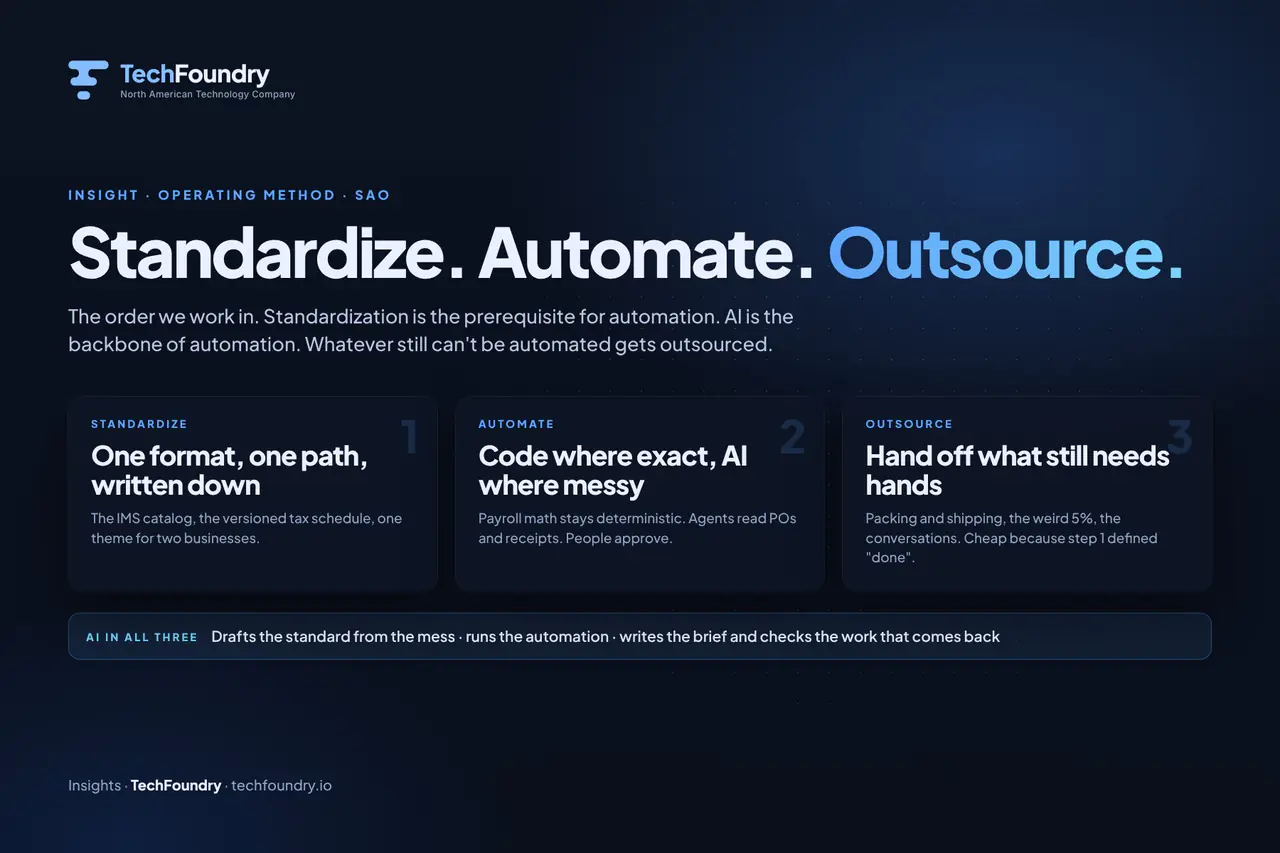
A clear, agreed process has to exist before you automate it. TechFoundry’s articles explain why workflow standardization comes before automation, and its Standardize, Automate, Outsource approach applies the same order. That is also why the first conversation is about the workflow rather than the technology.
Custom Software or Off-the-shelf tool? (Build vs Buy)
Off the shelf tools suit simple tasks between two apps, and custom software suits processes with company-specific rules, document handling or exceptions. Whether to build or buy depends on how specific your rules are and how many systems the work crosses.
Custom applications and AI workflows make more sense in three cases:
The rules are specific to your business.
Documents arrive in messy formats.
Handoffs span several systems.
The inventory management case study shows a real example: a platform that turns emailed purchase orders into coordinated fulfilment, with automated intake and exception handling.
When a connector tool is enough
If the task is simple and moves data from one app to another, a connector or no-code tool is often the right choice. You don’t need a custom build for that, and we’d say so in the first conversation.
Where people stay in control
Digital Studio keeps exceptions explicit and leaves important decisions with your team. Automation usually stops where the work gets hard, so Digital Studio maps the handoffs and automates the repeatable parts around them. Exceptions are routed to a person instead of being handled by guesswork, and approvals stay with your team.
How a software automation project starts
You don’t need a finished specification to start. Digital Studio’s service areas are Custom Software, AI Agents, Workflow Automation and System Integration, and a project begins like this:
Describe the problem, the people affected and the systems involved.
Map the handoffs between those tools and teams.
Automate the repeatable parts.
Keep exceptions explicit.
Define the next step together.
The intake form on the start a software project page asks you to state the outcome, share your existing tools and constraints, and leave a way to respond.
FAQ
What is software automation?
Software automation means using software to carry out repeatable business work, such as copying data between systems, reading incoming emails and documents, and routing approvals. No person performs each step. It ranges from a single scheduled task to a connected workflow with AI reading unstructured input.
The aim is to remove manual handoffs while people keep the decisions that matter.
What are the four types of automation?
Sources group automation differently, so the grouping matters. A practical split for this audience is task automation, workflow automation, AI-assisted automation and system integration. Digital Studio’s service areas of Workflow Automation, AI Agents and System Integration map onto all of these types.
What is tech workflow automation?
It is the automation of multi-step processes that move work between tools and teams, such as order intake, document handling or approvals. The workflow captures the event, applies the written rules and completes the handoff. Exceptions go to a person.
Which skill is hardest to automate?
Judgement in unclear situations is the hardest: exceptions, negotiation and decisions with real consequences. That is why Digital Studio keeps exceptions explicit and leaves important decisions with your team. It automates the repeatable parts around them.
Do I need a finished specification to start?
No. Describe the problem, the people affected, and the systems involved, and the next step can be defined together. You can begin on the start a software project page.
Should I use an off the shelf automation tool or custom software?
Simple app-to-app tasks can often be handled by a connector tool. Custom software and AI workflows fit better when the rules are specific to your business, documents arrive in messy formats, or handoffs span several systems. Questions about long-term running costs, data ownership and how a custom build compares with a SaaS platform are best settled in the first conversation.
Put the idea to work
Have a workflow ready for AI or software?
Show us the process, the systems it touches and the decisions people need to keep. We will help define a useful first release.
Join the conversation
Comments are reviewed before they appear. Your email address will not be published.